"I really like this new feature. The ability to add custom functionality to the Chatter UI opens up a new category of use cases where business process interactions are supported without leaving the Chatter feed. Collaboration really is at the heart of everything."- Mark Cane @ force365
Chatter is the collaboration platform that connects Salesforce users to each other and their company information. For a long time, the only available actions on Chatter were Post message, file and link. In early 2013, there was a big initiative to allow our customers and partners to be able to extend and customize the actions that were available on Chatter.
I was the design lead responsible to design the administrator experience. I worked with stakeholders from 3 different business units as well as other designers, user researchers and developers from 2 separate business units to design this experience. There were a lot of limitations based on timeline and patterns that I had to follow but working closely with developers, I was able to push the limits.
My role: Lead Designer
End-user:
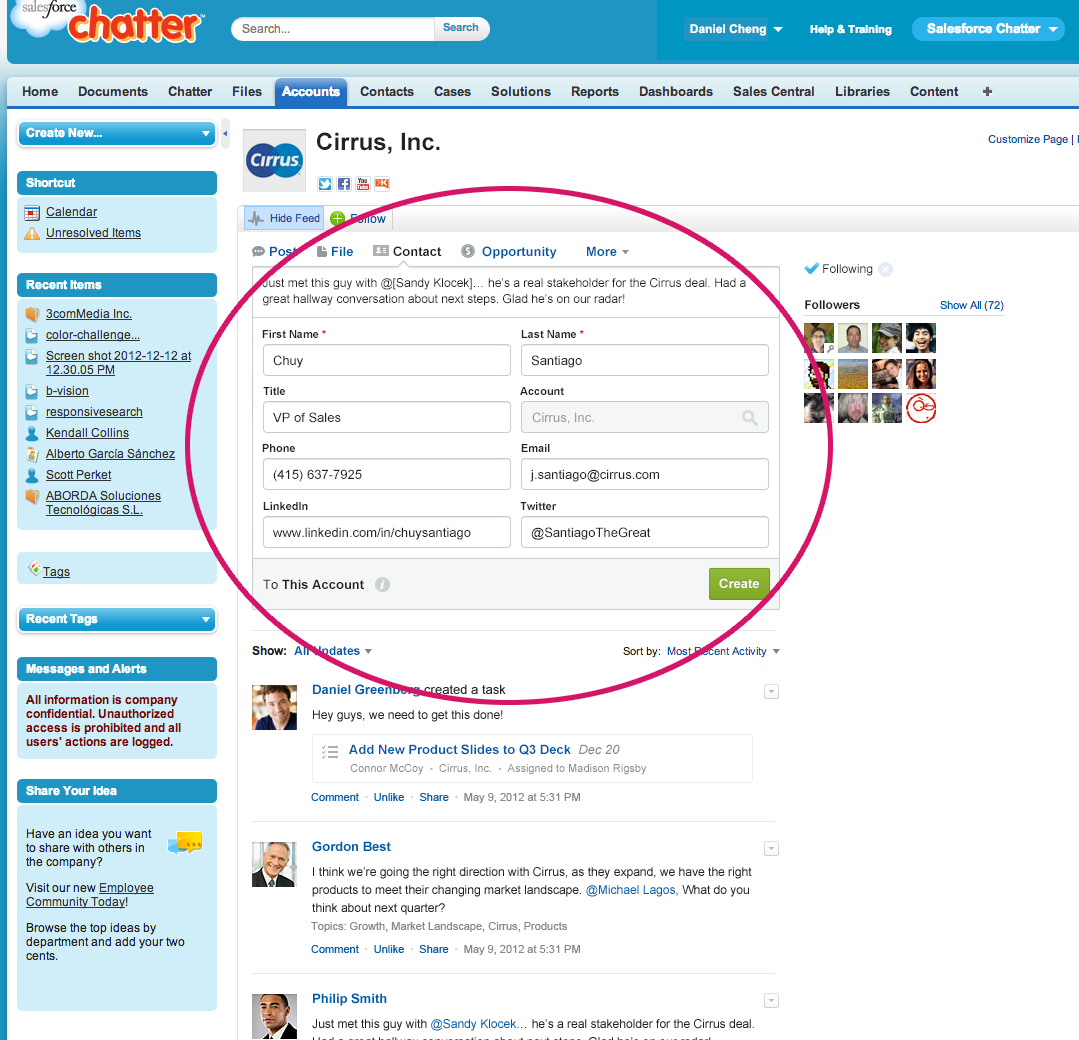
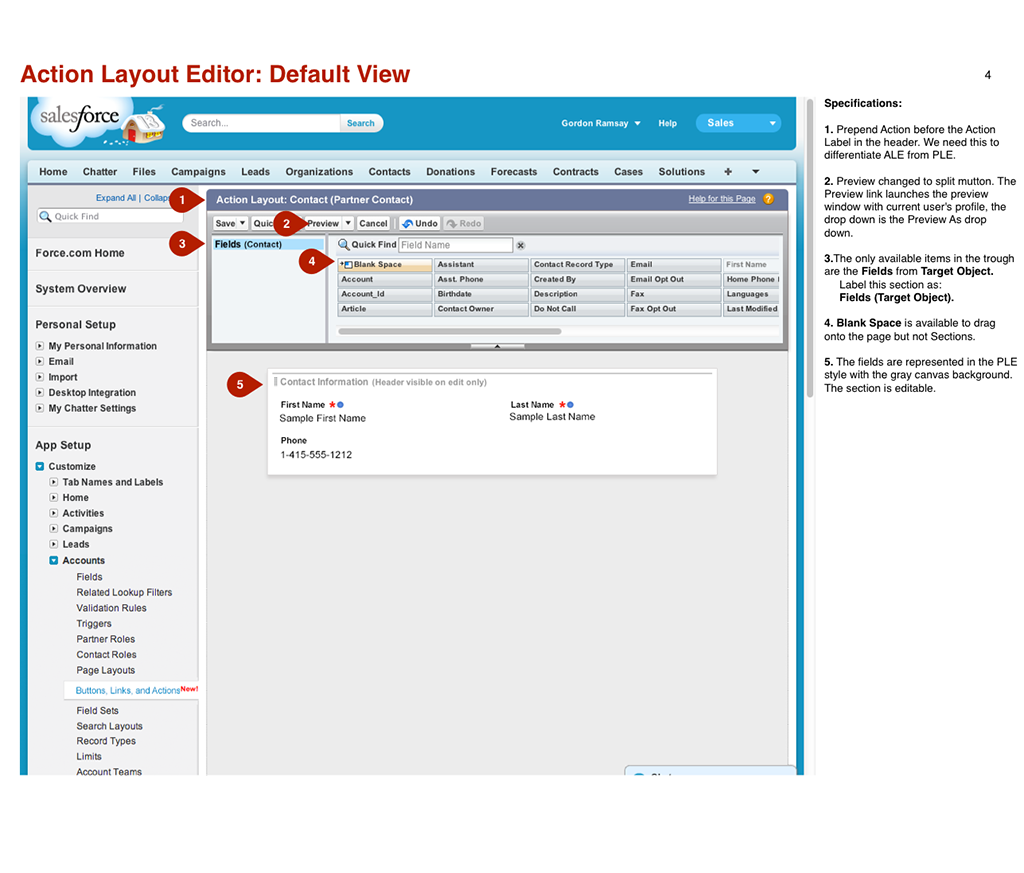
Below is a screenshot of what the administrators have control over to customize the Chatter publisher for their end-users. They would be able to add actions in addition to Post, File and Link as well as being able to create custom actions.
Setup Screens:


Design Goals:
- Simple tasks and single steps. Light, easy and quick creation of Salesforce records.
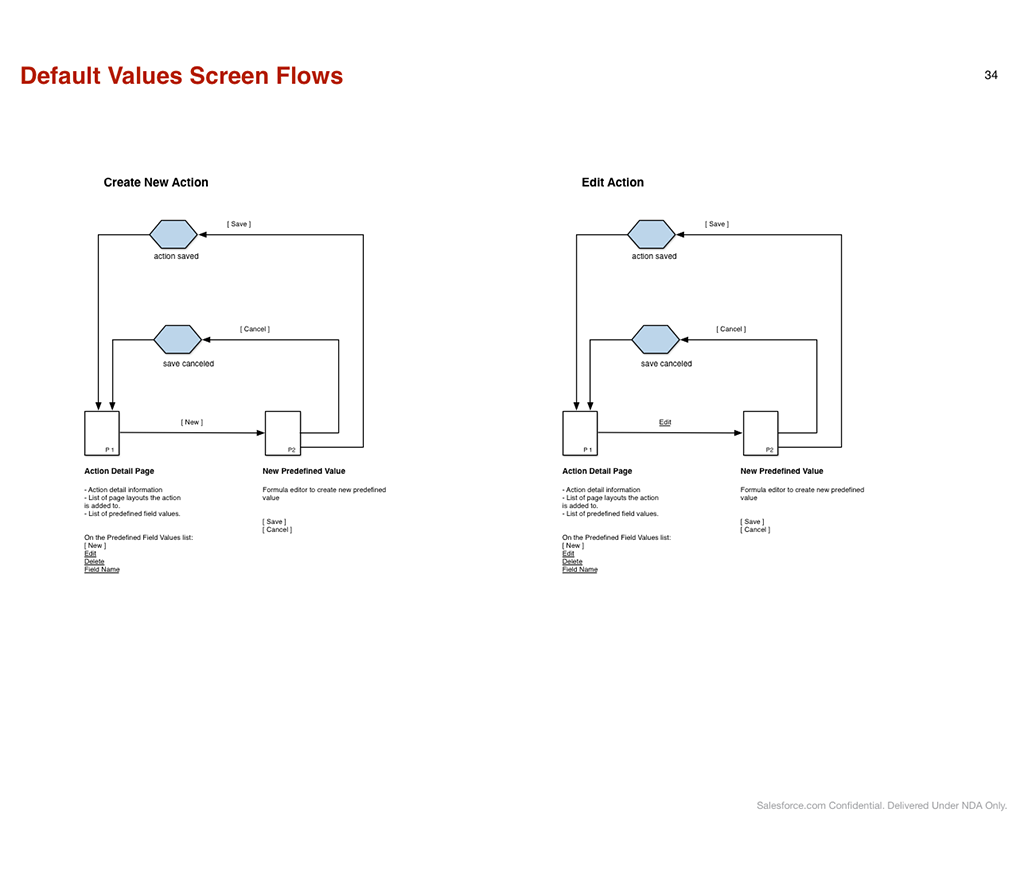
- No code. Administrators can create custom actions without writing code.
- Don't let complexity in. These are tools for the administrators to create actions and forms. Though limits and on-screen guidance, prevent them from creating inefficiency for their users.